How it works
How Brainbrook tracks a receipt, screen by screen
Three steps on your phone: photograph the receipt, tag it HSA or FSA, and check the total. Here is what each screen shows.
A receipt photographed in the car, right after the pharmacy.
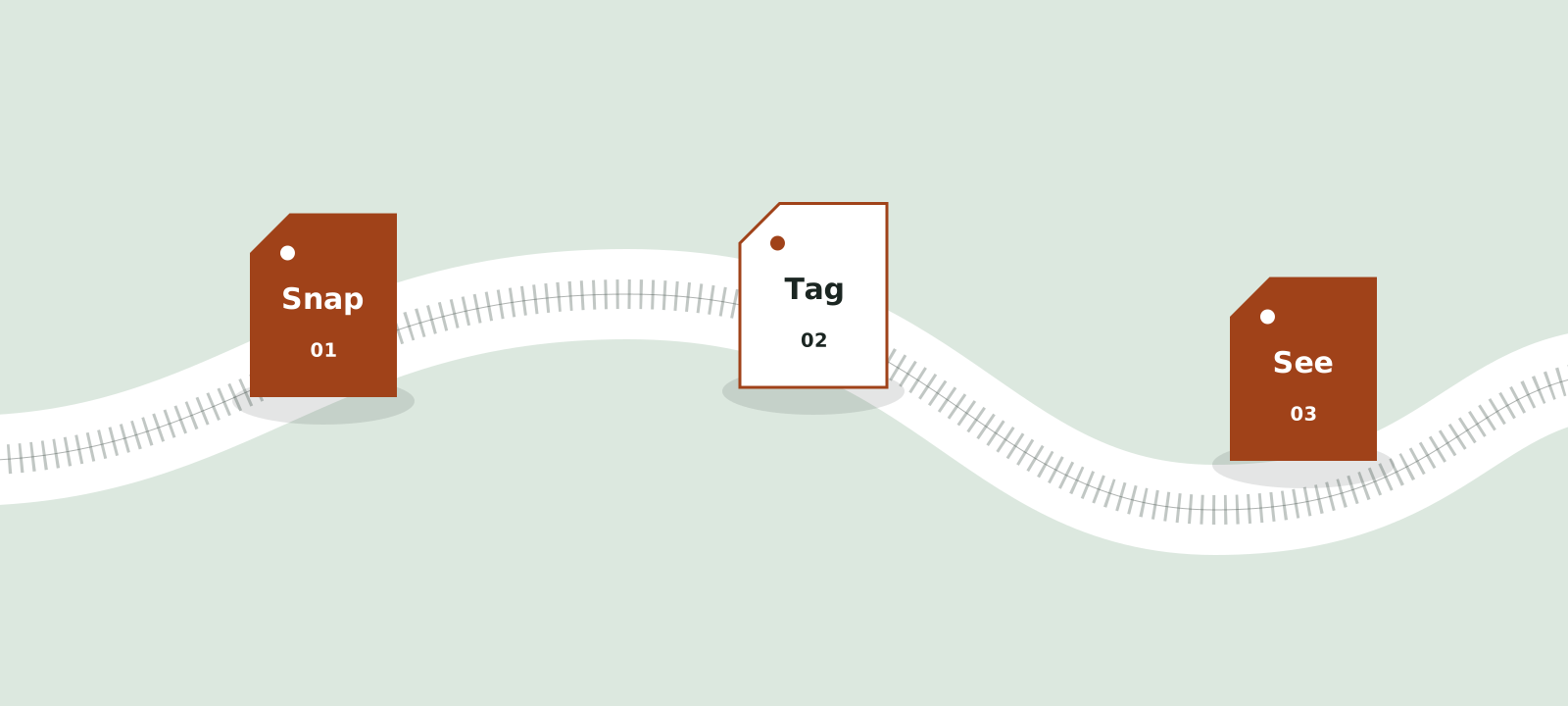
Photo, tag and total, the three steps in the order you do them.
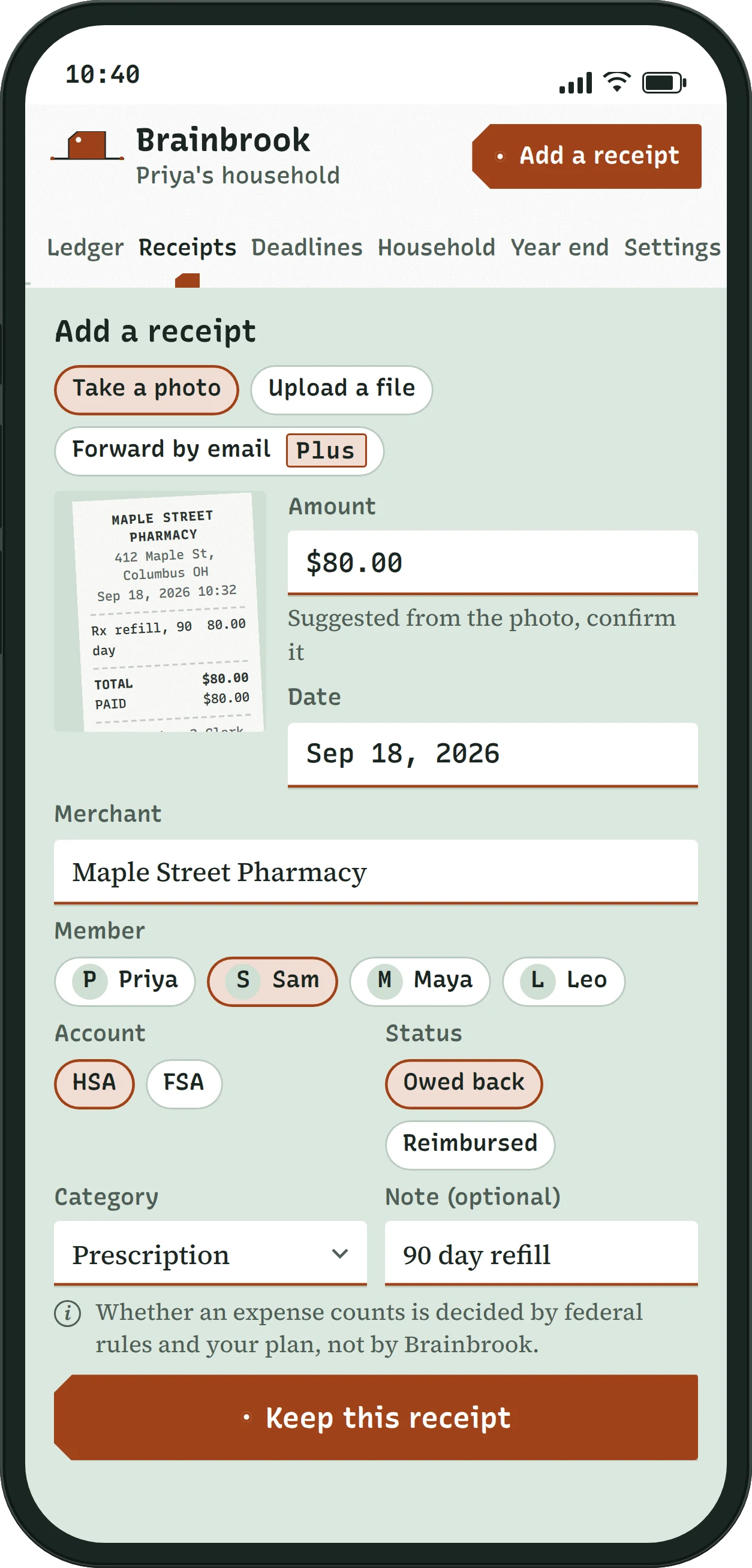
Photograph the receipt
Screen: Add a receipt, phone
Open Brainbrook, tap Add a receipt and take the photo, or upload a PDF, JPG, PNG or HEIC. On Plus you can also forward an emailed receipt to your household's own address. If the date and total are legible, Brainbrook fills them in for you to confirm, and nothing is saved until you do.

Tag it HSA or FSA
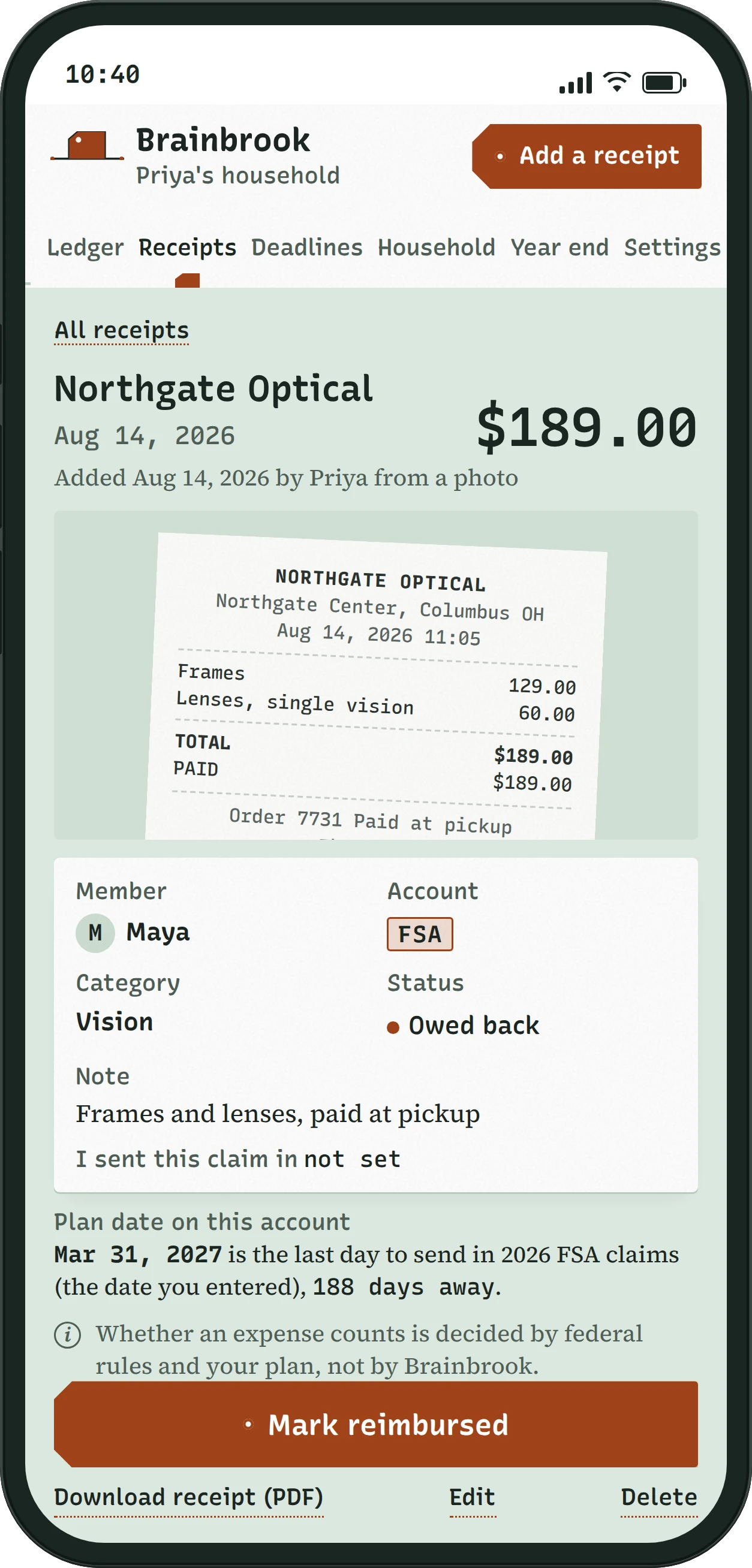
Screen: Single receipt record, phone
Pick who the receipt was for, tap HSA or FSA, add a category if you like, and leave the status on Owed back, which means paid and not yet reimbursed. Add a note if it will help later, like "frames and lenses, paid at pickup". Tap Keep this receipt. The saved record holds the photo, every fact a claim asks for, who added it and when, the plan date for that account, and a button to download it as a PDF.
HSA FSA
Whether an expense counts is decided by federal rules and your plan, not by Brainbrook.
The record
Northgate Optical$189.00
Aug 14, 2026
AccountFSA
CategoryVision
StatusOwed back
Note: Frames and lenses, paid at pickup.
Added Aug 14, 2026 from a photo.
Mar 31, 2027, last day to send in 2026 FSA claims, 188 days away.
See what you are still owed
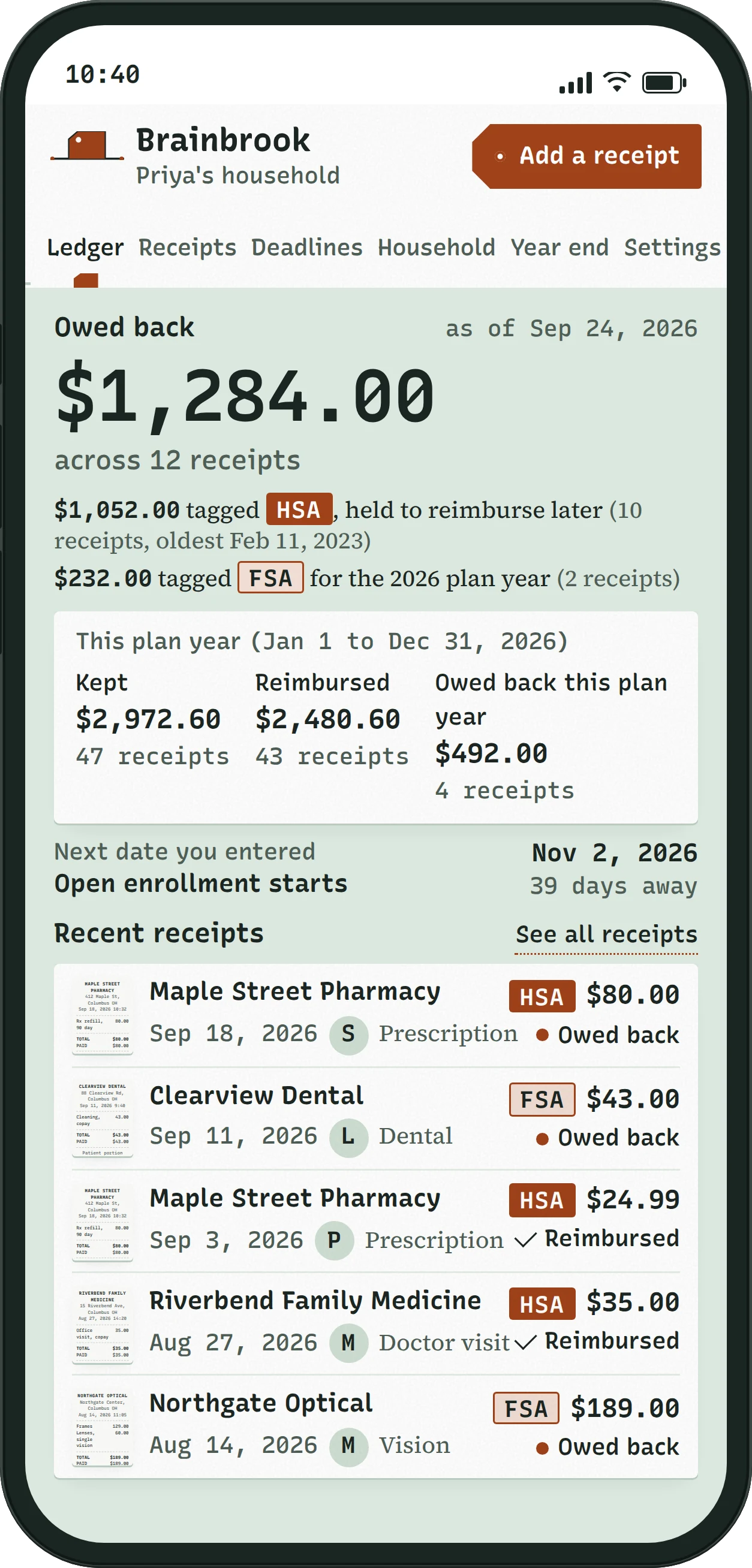
Screen: Ledger home, phone
The home screen, called Ledger home, opens on one number: what the household is still owed back, with a line each for HSA and FSA. Under it are this plan year's totals for kept, reimbursed and owed back, then the next date you entered and your latest receipts. When your plan pays you, open the receipt and tap Mark reimbursed. The total drops, and the receipt stays on file.
Ledger home
Owed back$1,284.00
across 12 receipts
This plan year, Jan 1 to Dec 31, 2026
Kept, 47 receipts$2,972.60
Reimbursed, 43 receipts$2,480.60
Owed back, 4 receipts$492.00
Nov 2, 2026, Open enrollment starts, 39 days away.
The 2026 plan year, one tick per day. Each receipt sits on the day it was paid, a copper dot marks the ones still owed back, and your entered dates stand above the line. The FSA claim deadline falls after Dec 31, so it sits past the end.
Start with your next receipt
Free covers one person and 30 receipts a plan year. Plus adds email forwarding, the household and every earlier year for $4 a month or $36 a year.